Collections
Remove all files to create an empty working directory
1
2
3
git rm -rf .
git commit -a -m 'delete all files'
git push origin gh-pagesAdd content and push
1
2
3
4
echo "My Page" > index.html
git add index.html
git commit -a -m "First pages commit"
git push origin masterDeploying a subfolder to GitHub Pages
1
2
3
4
git checkout master # you can avoid this line if you are in master...
git subtree split --prefix dist -b gh-pages # create a local gh-pages branch containing the splitted output folder
git push -f origin gh-pages:gh-pages # force the push of the gh-pages branch to the remote gh-pages branch at origin
git branch -D gh-pages # delete the local gh-pages because you will need it: ref
Rebase
1 | C---D---E your_branch |
After rebase as following:
1 | C'--D'--E' your_branch |
Using rebase to solve below 2 issues:
This branch is out-of-date with the base branch
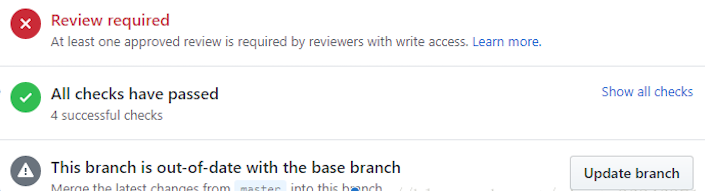
This branch has conflicts that must be resolved

Process Flow:
git checkout master, and thengit pullgit checkout <your_branch>, if need, dogit pullgit rebase masterOption step if there are CONFLICTs.
change conflicts and save them
git add <file_name>orgit add .Note: do not need commit during fixing conflicts.
git rebase --continueloop above if conflicts still existed.
git push -u origin <your_branch> --force
Reset
Resetting remote to a certain commit
Assuming that your branch is called master both here and remotely, and that your remote is called origin you could do:
git checkout <your_branch>git log, find the commit-hashgit reset <commit-hash>, undoes all commits after [commit]4git push -f origin <your_branch>
Note:
git remote -vto get remote informationgit log --pretty=onelineorgit log -2to show version history
Cherry pick
git checkout <the_branch_contains_that_commit>git log --oneline -3find the commit idgit checkout <your_branch>git cherry-pick <commit> -n–no-commit- commit by yourself.