Highlight
- 热键打开主界面: option+command(默认设置)
- Alfred 建议我们可以通过
Open + 关键字或者Space(空格键来查询文件或者文件,find路径查找,in文件查找 - Web Search: 通过 Key 选择用于搜索的网站,如
ask hellworld. - Calculator: Input
1024+1024\*1024 - filter buffer
⌥↑(add to buffer),⌥→(action for all),⌥ backspace(remove all buffer) fn + tab: to action selected itemshift或Command + Y: to quick view selected itemoption + command + \\(⌥⌘\\): actions for all selected item in finderoption + command + / (⌥⌘/): 路径方式展示当前目录- Clipboard: option + command + c (⌥⌘c)
- Dictionary:
define: Pressing the Return key will open the wordin Dictionary.appspell: best guess of the word you want to spell, pressing the Return key will copy the correct spelling to your clipboard.cmd + oto open in app.
General
- Startup:设置系统启动时是否自启动。
- Alfred Hotkey:设置呼出 Alfred 的热键。
- Where are you:这个设置比较特别,因为 Alfred 内置了常用网站搜索功能,在这里设置了你所在的国家后,Alfred 在搜索时会打开搜索网站对应国家的网站
Features
Default Results
- Essentials: 搜索「应用程序」、「联系人」、「设置」
- Etras
- Alfred 建议我们可以通过
Open + 关键字或者Space(空格键)来查询文件或者文件夹
- Alfred 建议我们可以通过
- Search Scope: 设置 Alfred 查询时会搜索的文件夹
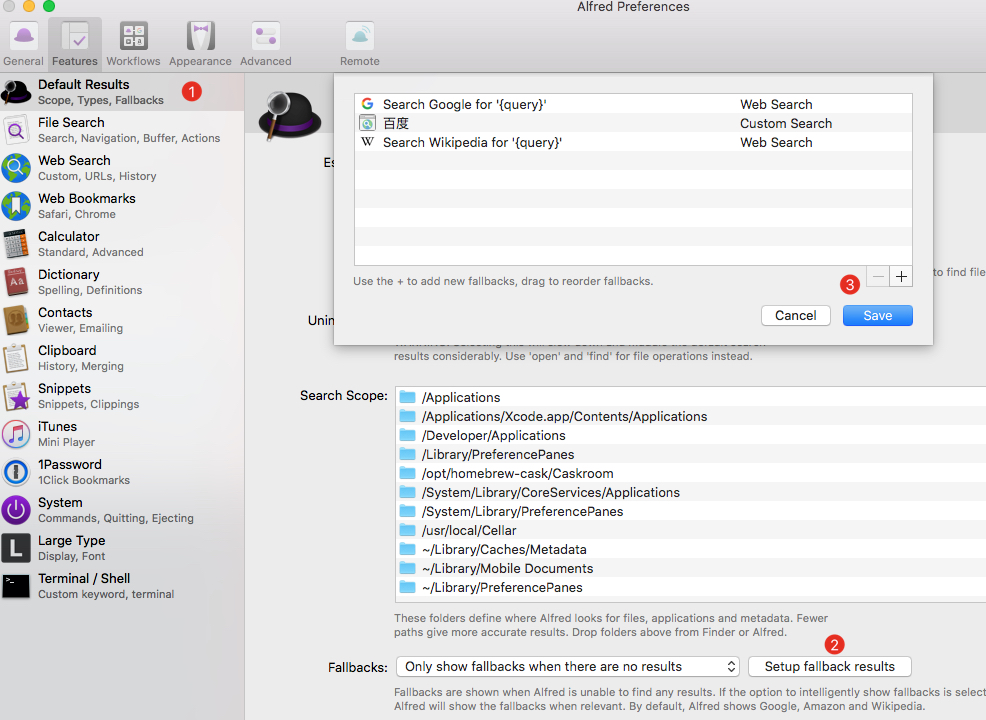
- Fallbacks: 如果没有查到结果使用 Google 还是其它网站来搜索结果
File Search
- Use the “open” keyword to open a file (or press the spacebar as a shortcut)
- Use the “find” keyword to reveal the file in Finder
- Use the “in” keyword to search inside your files’ content
Note: File Filters to create custom search
File Navigation
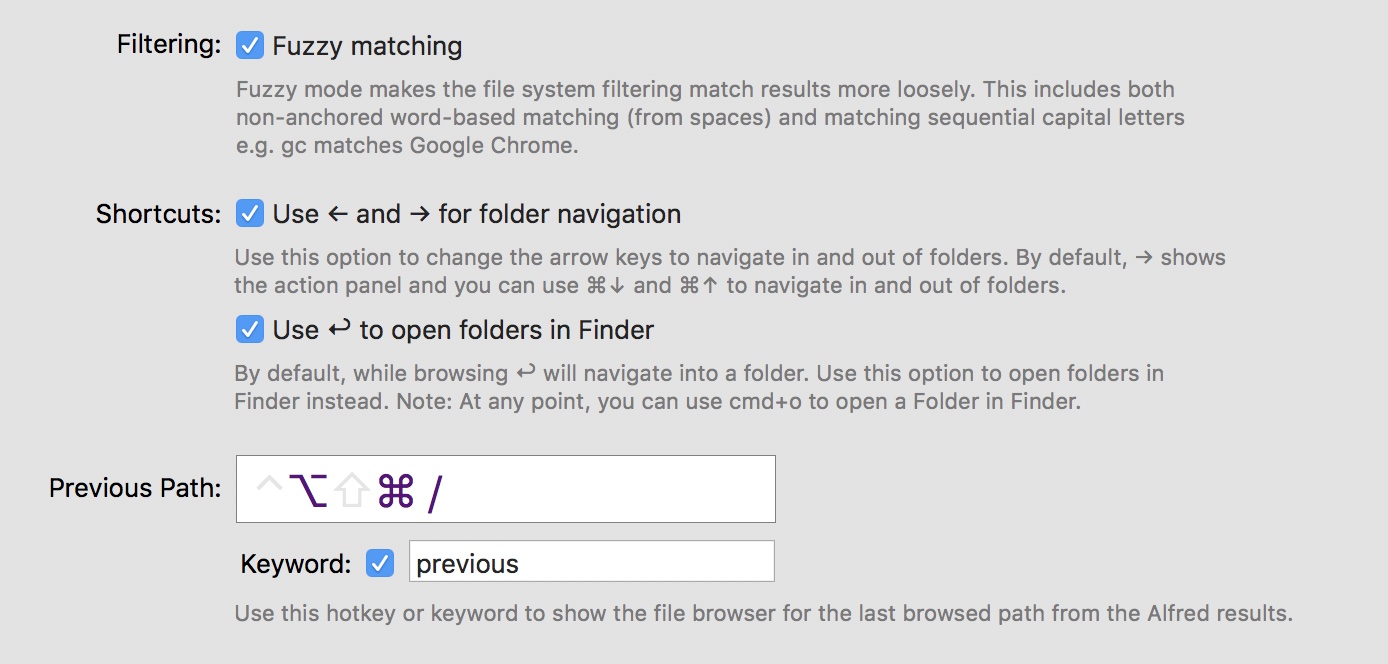
- / (slash) to take you to the root folder on your Mac, or
- ~ (tilde) to go to your user directory.
- /* (star) to file name
File Buffer
- ⌥↑ to add a file to the buffer from Alfred’s results
- ⌥↓ to add a file and move to the next item in your list of results
- ⌥← to remove the last item from the buffer
- ⌥→ to action all items in the buffer
- ⌥ backspace to remove all items from the buffer
File Previews
- shift: to quick look selected item
Actions

- →: to action selected item
- Want to take action on multiple files at once? Select them
in Finderand press the Finder Selection hotkey (which is⌥⌘\by default). - Want to add your own custom file actions? Take a look at the File Action Triggers
Web Search
Add custom search
- baidu:
http://www.baidu.com/s?ie=UTF-8&wd={query}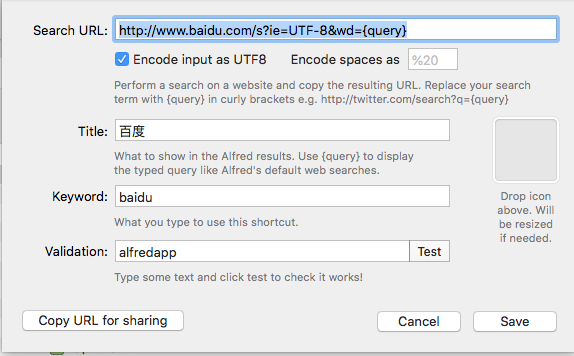
- zhihu:
https://www.zhihu.com/search?type=content&q={query} - jianshu:
https://www.jianshu.com/search?q={query}
- baidu:
Fallbacks of defalt search settings:
Termianl / Shell
Refer to https://github.com/stuartcryan/custom-iterm-applescripts-for-alfred
1
2
3
4
5
6
7
8
9
10
11
12
13
14
15
16
17
18
19
20
21
22
23
24
25
26
27
28
29
30
31
32
33
34
35
36
37
38
39
40
41
42
43
44
45
-- This is v0.7 of the custom script for AlfredApp for iTerm 3.1.1+
-- created by Sinan Eldem www.sinaneldem.com.tr
on alfred_script(q)
if application "iTerm2" is running or application "iTerm" is running then
run script "
on run {q}
tell application \"iTerm\"
activate
try
select first window
set onlywindow to true
on error
create window with default profile
select first window
set onlywindow to true
end try
tell the first window
if onlywindow is false then
create tab with default profile
end if
tell current session to write text q
end tell
end tell
end run
" with parameters {q}
else
run script "
on run {q}
tell application \"iTerm\"
activate
try
select first window
on error
create window with default profile
select first window
end try
tell the first window
tell current session to write text q
end tell
end tell
end run
" with parameters {q}
end if
end alfred_script