Docker
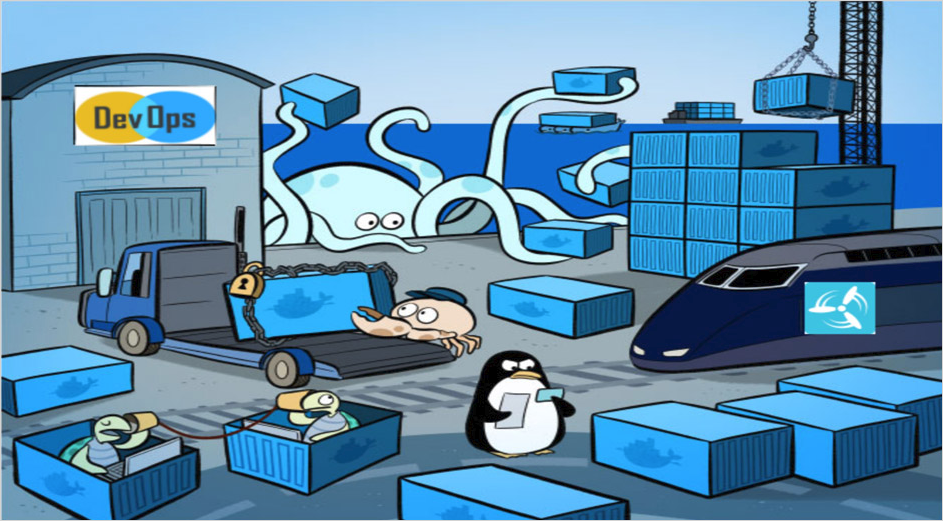
Docker is a platform for developers and sysadmins to develop, deploy, and run applications with containers. The use of Linux containers to deploy applications is called containerization. Containers are not new, but their use for easily deploying applications is.
Containerization is increasingly popular because containers are:
- Flexible: Even the most complex applications can be containerized.
- Lightweight: Containers leverage and share the host kernel.
- Interchangeable: You can deploy updates and upgrades on-the-fly.
- Portable: You can build locally, deploy to the cloud, and run anywhere.
- Scalable: You can increase and automatically distribute container replicas.
- Stackable: You can stack services vertically and on-the-fly.
Docker 的思想来自于集装箱,集装箱解决了什么问题?在一艘大船上,可以把货物规整的摆放起来。并且各种各样的货物被集装箱标准化了,集装箱和集装箱之间不会互相影响。那么我就不需要专门运送水果的船和专门运送化学品的船了。只要这些货物在集装箱里封装的好好的,那我就可以用一艘大船把他们都运走。
Docker Engine
Docker Engine is a client-server application with these major components:
A server which is a type of long-running program called a daemon process (the dockerd command).
A REST API which specifies interfaces that programs can use to talk to the daemon and instruct it what to do.
A command line interface (CLI) client (the docker command).
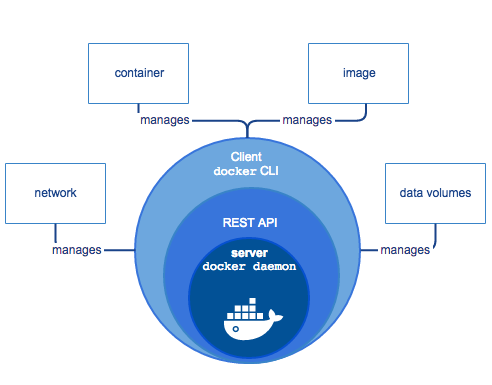
The CLI uses the Docker REST API to control or interact with the Docker daemon through scripting or direct CLI commands. Many other Docker applications use the underlying API and CLI.
The daemon creates and manages Docker objects, such as images, containers, networks, and volumes.
Docker architecture
Docker uses a client-server architecture. The Docker client talks to the Docker daemon, which does the heavy lifting of building, running, and distributing your Docker containers. The Docker client and daemon can run on the same system, or you can connect a Docker client to a remote Docker daemon. The Docker client and daemon communicate using a REST API, over UNIX sockets or a network interface.

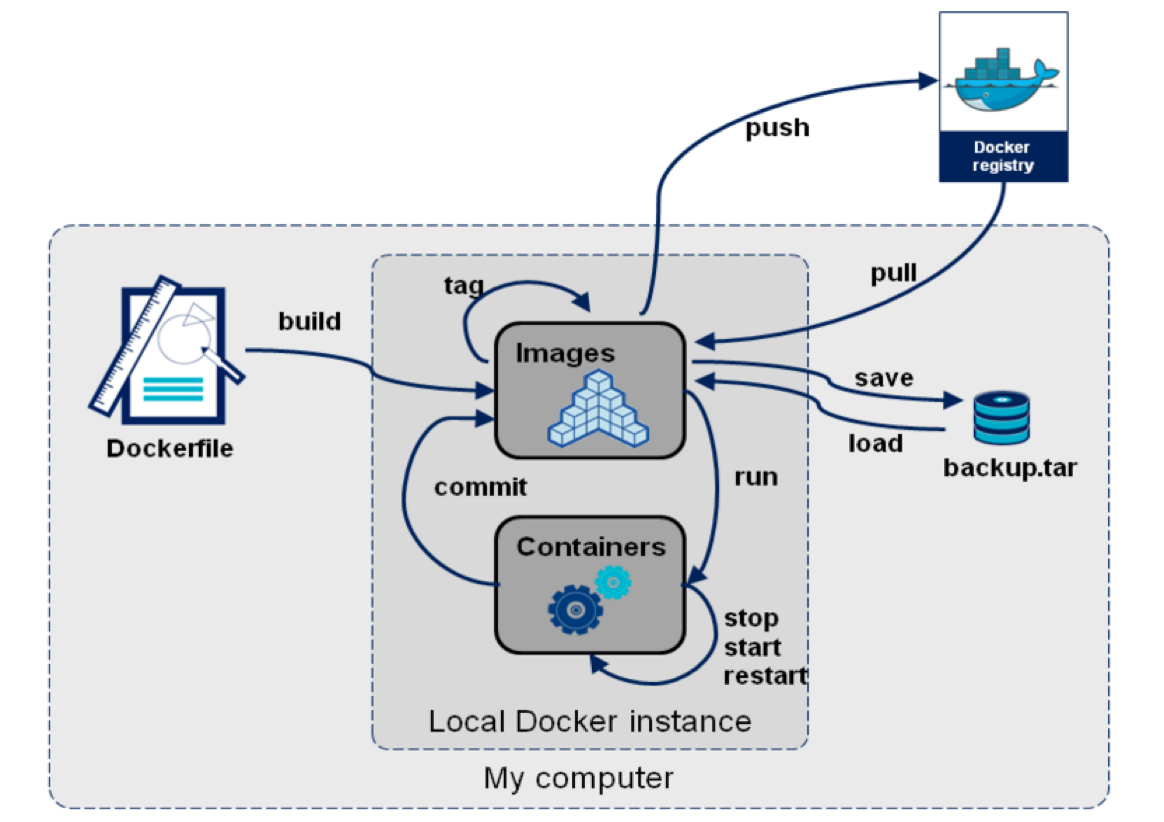
Images and containers
A container is launched by running an image. An image is an executable package that includes everything needed to run an application the code, a runtime, libraries, environment variables, and configuration files.
A container is a runtime instance of an image what the image becomes in memory when executed (that is, an image with state, or a user process). You can see a list of your running containers with the command, docker ps, just as you would in Linux.
Containers and virtual machines
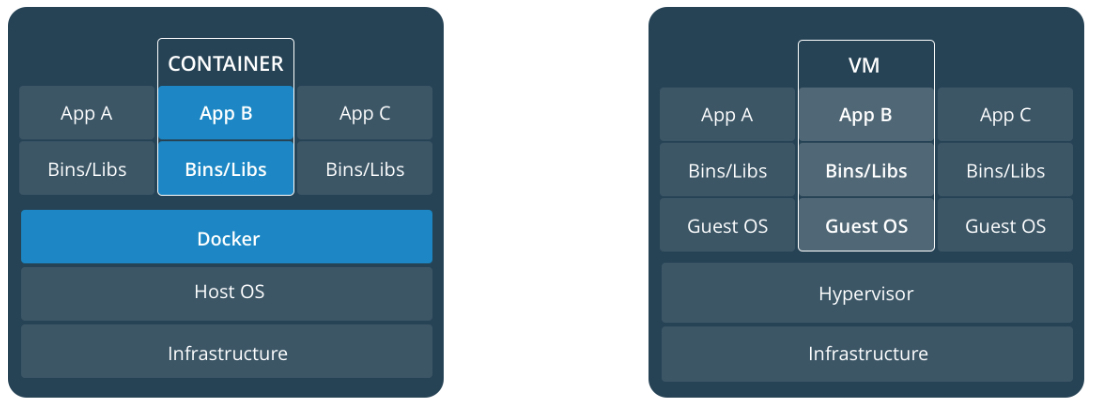
A container runs natively on Linux and shares the kernel of the host machine with other containers. It runs a discrete process, taking no more memory than any other executable, making it lightweight.
By contrast, a virtual machine (VM) runs a full-blown “guest” operating system with virtual access to host resources through a hypervisor. In general, VMs provide an environment with more resources than most applications need.
Docker Version
1 | $ docker --version |
- build – builds an image from a Dockerfile
- images – lists all local images
- pull – pulls an image from docker hub
- create – create a container from an image
- ps – list running containers (parameter -a also lists stopped containers)
- start / stop – start or stop a container
- docker run [OPTIONS] IMAGE [COMMAND][arg…]: Run a command in a new container
- docker exec [OPTIONS] CONTAINER COMMAND [ARG…]: Run a command in a running container
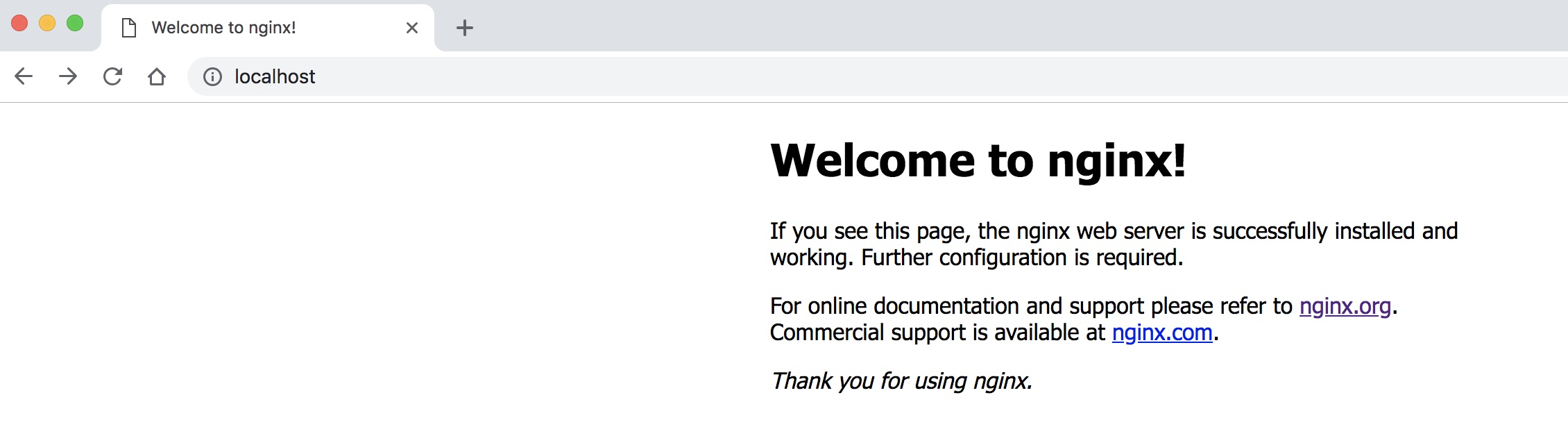
Test run Nginx web server
1 | docker pull nginx |
Recap and cheat sheet
1 | ## List Docker CLI commands |
Dockerfile
1 | FROM nginx |
1 | docker build -t friendlyhello . # Create image using this directory's Dockerfile |
1 | docker run \ |
Docker Compose
1 | docker stack ls # List stacks or apps |
RUN 执行命令
shell 格式: RUN <命令>,就像直接在命令行中输入的命令一样
RUN echo '<h1>Hello, Docker!</h1>' > /usr/share/nginx/html/index.htmlexec 格式:RUN [“可执行文件”, “参数 1”, “参数 2”],这更像是函数调用中的格式
为了减少镜像层数推荐写法如下:
1 | FROM debian:jessie |
Build 镜像
1 | docker build -t nginx:v3 |
Run Image
1 | docker run --rm -d -p 5000:5000/tcp sample-app:latest |